Strategy
Nearly every small business that buys a CRM abandons it within a year. Here's why — and what to look for so the one you pick actually gets used.
A common story from small business owners: "We tried a CRM a year ago. Used it for three months. Stopped opening it. Leads are back in my head and my texts again." The CRM adoption curve for small businesses is brutal — nearly every small business that signs up for one abandons it within 12 months.
The usual explanation is that "small businesses don't stick to process." That's mostly wrong. The real reason is that most CRMs are built for sales teams with dedicated time to maintain them, and small business owners don't have that time. Here's what actually goes wrong, and what separates CRMs that get used from the ones that gather dust.
Three patterns account for most CRM abandonments in the small-business world.
Too much data entry. A CRM that expects you to log every touchpoint, categorize every lead, update statuses manually, and run reports yourself is a CRM built for a sales team. A solo operator or small service business doesn't have 30 minutes a day to feed it. After a few weeks, the CRM data drifts out of reality, and once that happens, it stops being trustworthy, and once that happens, you stop opening it.
Disconnected from where leads actually come in. If leads land in your Gmail, a contact form, a phone call, and an Instagram DM, and you have to manually copy each one into the CRM, you won't. The CRM that actually gets used is the one that ingests leads from every channel automatically.
No clear daily prompt. A tool that waits for you to remember it loses against tools that surface themselves. A CRM without push notifications, email digests, or a clear "here's who to follow up with today" list requires you to be disciplined on top of everything else you're doing. That's a losing setup for most small businesses.
The CRMs that actually survive past month three in a small business share a few consistent characteristics.
Automatic lead ingestion. Every lead source — contact form, phone call, chatbot, booking system, referral — flows into the CRM automatically. No copying, no double entry. The chatbot capture becomes a CRM contact. The booking becomes a CRM contact. The form submission becomes a CRM contact. You never enter anyone by hand.
Automated follow-up sequences. When a lead lands, a sequence fires — an immediate confirmation, a 24-hour followup if they haven't replied, a 72-hour check-in, and so on. The system handles all of the "have I remembered to get back to them?" anxiety so you can focus on the conversations that actually need a human.
Surface-level daily prompts. Every morning, a short email or notification tells you who needs attention today. Not "here are 47 leads, prioritize yourself" — just "these three need a response, these two haven't replied in four days, this booking is tomorrow." Decisions, not data.
Integration with your actual workflow. The CRM integrates with your calendar, your email inbox, your phone. When a lead emails you, it shows up in the CRM. When you send an email, the CRM logs it. When you book a call, the CRM reflects it. You never have to remember to "update the CRM" because updating happens as you do your work.
Most CRM onboarding walks you through setting up 30 custom fields, 10 tags, five pipeline stages, and three automation rules. Ignore 90% of it. For a small business, you need four things tracked:
That's it. Every additional field you track is another thing that needs to be kept up to date, and the more you track, the faster the system drifts from reality. Discipline is limited; allocate it to the fields that actually drive decisions.
Standalone CRMs — HubSpot, Pipedrive, Zoho — are good products. But they're designed primarily for sales teams at companies with at least a few salespeople. Using them as a solo operator or a small service business means you're paying for (and maintaining) a lot of functionality you don't need, in exchange for a daily overhead you can barely sustain.
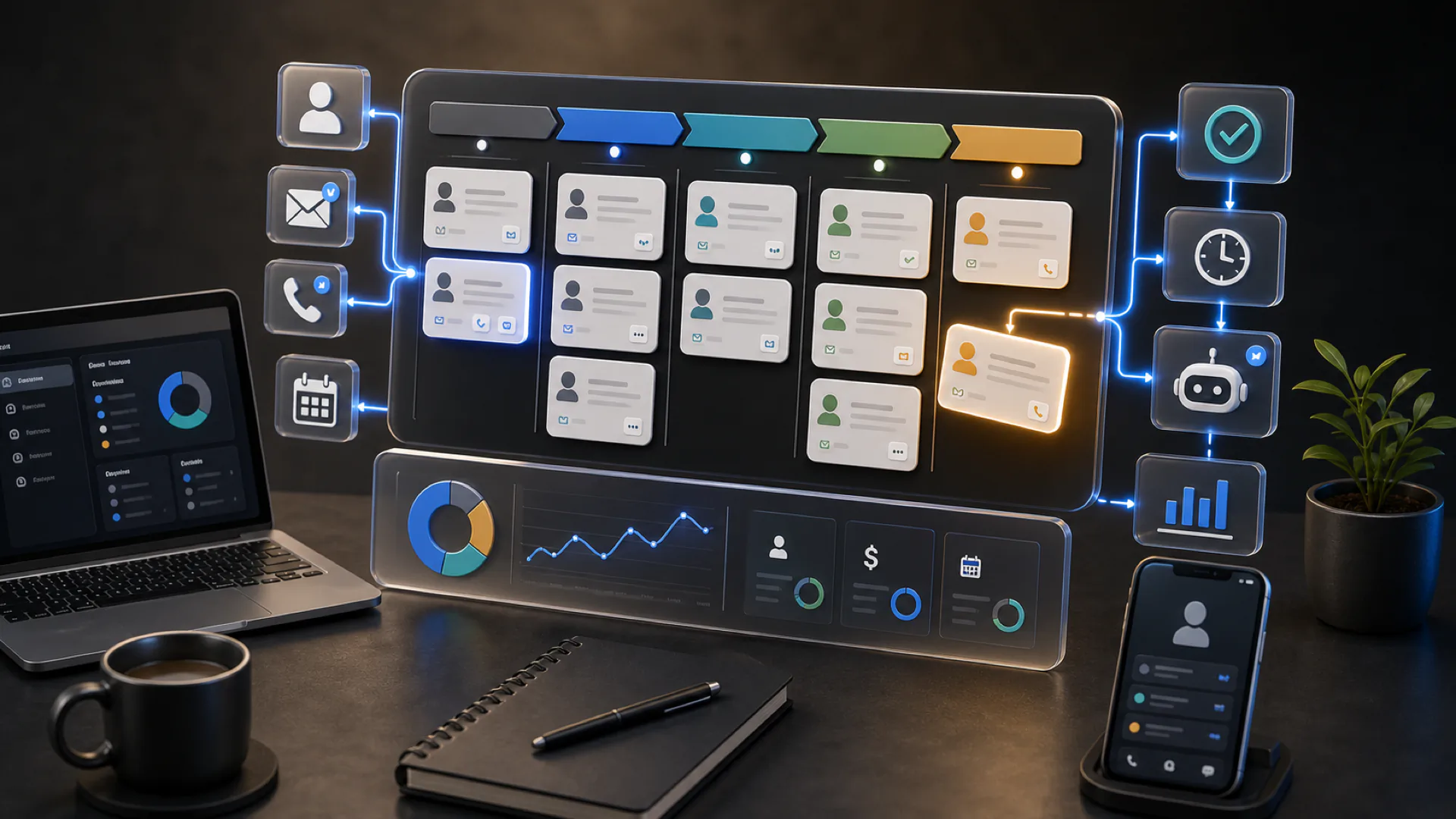
The alternative that's been growing fast in 2026: CRM built directly into your website infrastructure. Leads are automatically captured from your site, your booking system, your chatbot, and your forms. Follow-up sequences fire automatically. The pipeline view is simple and only shows what matters today. There's nothing to install, nothing to maintain, nothing to integrate because it's already integrated.
For a small business, that's a dramatically better fit than a standalone product pretending to scale downward.
A simple test: when was the last time you opened it without being prompted to? If the answer is "I check it every morning for the day's follow-ups," it's working. If the answer is "I haven't opened it in a month," it's abandoned — you just haven't acknowledged it yet.
Don't feel bad about the latter. It's normal. What's worth doing is recognizing that the CRM isn't the problem, and you aren't the problem — the fit between the tool and the way a small business actually runs is the problem. Pick a CRM designed for how you actually work, not for how enterprise sales teams work, and the dynamic reverses. The tool starts saving you time instead of demanding it.
Two paths. The honest one: export whatever's in your current CRM, put it into a spreadsheet, and run your business from the spreadsheet until you're ready to adopt a tool that actually fits. A neglected CRM is worse than no CRM because the stale data gives you false confidence.
The better one: switch to a CRM that's integrated into the rest of your digital stack — website, booking, chatbot, email — so that maintenance happens automatically as you do your actual work. The tool becomes invisible, which is the state it should have been in all along.
A CRM that you never have to think about is a CRM that works. Anything else is a daily tax you eventually stop paying.
Ready to act on this?
Find the leaks between visitor and booked job — every one priced in dollars, plus an AI preview of your rebuilt homepage. $29.99, credited toward your first month.
Frequently asked
Yes — if it's one that auto-captures leads and requires minimal daily input. A standalone CRM that you have to feed manually is usually overkill for a solo operator. A CRM integrated into your website and booking system that just runs in the background is almost always worth it, even for a one-person business.
A lead capture form collects the lead. A CRM organizes, tracks, and follows up with the lead over time. Without a CRM, every captured lead either gets an immediate response or gets forgotten — there's no structured follow-up. The CRM is what turns captured leads into closed deals.
Never fully write off a lead — move them to a long-term nurture sequence instead. Most small business CRMs quietly lose 60-70% of revenue to leads that were 'dead' at week six but became warm at month four. A periodic check-in sequence (monthly or quarterly) recaptures those deals for minimal effort.
Yes. Every reputable CRM supports CSV export of contacts, notes, and activity history. Migration between systems typically takes an afternoon for a small business with under 500 contacts. If a CRM doesn't offer clean export, that's a red flag — walk away.
We're building 100 complete custom websites for Canadian small businesses, plus 50% off your first month on any plan. Claim a spot before the timer runs out.
 Canadian team